Showing posts with label JQuery. Show all posts

Friday, 29 June 2018

Handy Posts


****************************************

CSS to JavaScript Cheat Sheet:


Thursday, 1 March 2018

JS Logical Programming

Js Logical Programs:

var arr = [9,5,3,4,15,26,18 12,95,68,55,24,66,35,77,63,96,10,6];


1. Display all items of array.


<html>
<head></head>
<body>
<h3>Displaying Items of Array</h3>
</hr>
<script>
var arr =[9,5,3,4,15,26,18,12,95,68,55,24,66,35,77,63,96,10,6];
for (var i =0 ; i < arr.length ; i++)

 document.write(arr[i] + "  "); // horizontal display with space
//document.write(arr[i] + "<br> "); //vertical display 
//document.write(arr[i] + " , ") // horizontal display with comma  
}
</script>
</body>
</html>

================================================

2. Display only even numbers of array.

<html>
<head></head>
<body>
<h3>Display only even numbers of array</h3>
<hr>
<script>
var arr = [9,5,3,4,15,26,18,12,95,68,55,24,66,35,77,63,96,10,6];
for(var i =0; i<arr.length ; i++)               
{
   if(arr[i]%2 == 0)
   {
    var evenValue =arr[i];
    document.write(evenValue, "  ");
   }
}
</script>
</body>
</html>

=================================================

3. Display only Odd numbers of array.

<html>
<head></head>
<body>
<body>
<h3>Displaying only odd numbers of Array</h3>
<hr>
<script>
var arr = [9,5,3,4,15,26,18,12,95,68,55,24,66,35,77,63,96,10,6];
for(var i =0; i <arr.length ; i++)             
{
   if(arr[i]%2 != 0)
  {
   var oddValue =arr[i];
   document.write(oddValue, "  ");
  }
}
</script>
</body>
</html>

=================================================

4. Display only 5 multiples of array.

<html>
<head></head>
<body>
<h3>Displaying 5 multiples of Array</h3>
<hr>
<script>
var arr = [9,5,3,4,15,26,18,12,95,68,55,24,66,35,77,63,96,10,6];
for(var i =0; i<arr.length ; i++)        
{
  if(arr[i]%5 == 0)
  {
   var val =arr[i];
   document.write(val, "  ");
  }
}
</script>
</body>
</html>

=================================================

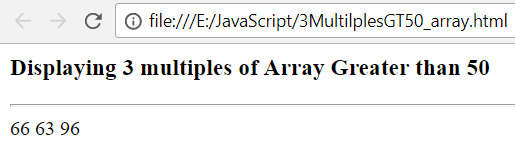
5. Display only 3 multiples that are greater than 50.

<html>
<head></head>
<body>
<h3>Displaying 3 multiples of Array Greater than 50 </h3>
<hr>
<script>
var arr = [9,5,3,4,15,26,18,12,95,68,55,24,66,35,77,63,96,10,6];
for(var i =0; i<arr.length ; i++)      
{
  if(arr[i]%3 == 0 && arr[i] > 50)
  {
  var val =arr[i];
  document.write(val, "  ");
  }
}
</script>
</body>
</html>

=================================================

6. Display sum of all numbers of array.

<html>
<head></head>
<body>
<h3>Displaying sum of numbers of Array</h3>
<hr>
<script>
var arr = [9,5,3,4,15,26,18,12,95,68,55,24,66,35,77,63,96,10,6];
var sum=0;
for(var i=0;i<arr.length;i++)         
{
   sum += arr[i];
 //sum = sum + arr[i];
}
document.write("Total Sum :" + sum);
</script>
</body>
</html>

=================================================

7. Display sum of all even numbers that are less than 40.

<html>
<head></head>
<body>
<h3>Display sum of all even numbers that are less than 40</h3>
<hr>
<pre>
<script>
var arr = [9,5,3,4,15,26,18,12,95,68,55,24,66,35,77,63,96,10,6];
var evenSum = 0;
for(var i=0; i<arr.length; i++)
{
  if(arr[i] %2 ==0 && arr[i] < 40)
  {
   var evenval = arr[i];
   document.write(evenval + " ");// written for usage of <pre> tag
  }                                               

}
</script>
</pre>
<pre>
<script>
for(var i=0; i<arr.length; i++)
{
  if(arr[i] %2 ==0 && arr[i] < 40)
  evenSum += arr[i];
}
document.write("Sum of Even no.s less than 40 from the given array:" + evenSum);
</script>
</pre>
</body>
</html>

=================================================

8. Display all the array numbers in sorted order.

<html>
<head></head>
<body>
<p id ="p1"></p>
<script>
var arr = [9,5,3,4,15,26,18,12,95,68,55,24,66,35,77,63,96,10,6];
var obj = document.getElementById("p1");
obj.innerHTML ="The given array : " + arr;
arr.sort(function(a,b){
return a-b;
});
document.write("Sorted (ascending) array:" +arr);
</script>                                

</body>
</html>


================================================

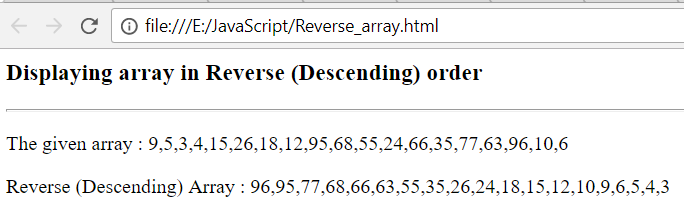
9. Display all the array numbers in descending order.

<html>
<head></head>
<body>
<h3>Displaying array in Reverse (Descending) order</h3>
<hr>
<p id="p1"></p>
<script>
var arr = [9,5,3,4,15,26,18,12,95,68,55,24,66,35,77,63,96,10,6];
var obj = document.getElementById("p1");
obj.innerHTML = "The given array : " + arr; // For displaying given array

arr.sort(function(a,b){
return b-a;
});
document.write("Reverse (Descending) Array : " + arr);
</script>
</body>
</html>

=================================================

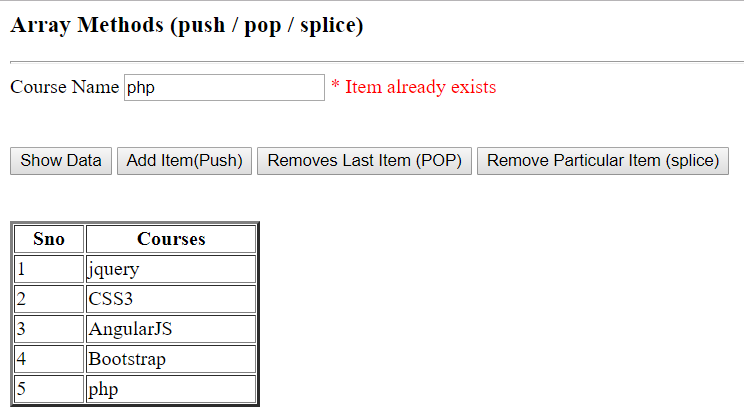
10. Perform add / remove items in arrays using following methods:
     a) push()   b) pop()   c) splice()


<html>
<head></head>
<body>
<h3>Array Methods (push / pop / splice) </h3>
<hr>
Course Name <input id ="courseName"/><span id ="status"></span>
<br><br><br>

<input type="button" value ="Show Data" onclick="showData()"/>
<input type="button" value ="Add Item(Push)" onclick="AddItem()"/>
<input type="button" value ="Removes Last Item (POP)" onclick="Pop()"/>
<input type="button" value ="Remove Particular Item (splice)" onclick="RemoveItem()"/>

<br><br><br>
<table id="Displaytable" width="200" border="2" </table>
<script>
var arr = ["jquery","CSS3","MVC","AngularJS","Bootstrap"];
var obj = document.getElementById("Displaytable");
var objtxt = document.getElementById("courseName");

function showData()
{
//alert("You are in");
var str = "<tr><th>Sno</th><th>Courses</th></tr>";
for(var i in arr)                                

{
var n = parseInt(i)+1;
str +="<tr>";
str +="<td>" + n + "</td>";
str +="<td>" + arr[i] + "</td>";
str +="</tr>";
}
obj.innerHTML = str;
}

function AddItem()       
{                                                           

var index = arr.indexOf(objtxt.value);  

if(index == -1)
{
arr.push(objtxt.value);
showData(); // for updated data
}
else
{
var objspan =document.getElementById("status");
objspan.innerText = " * Item already exists";
objspan.style.color="Red";                     


}
}  


function Pop()              

{
arr.pop(objtxt.value);
showData();
}

function RemoveItem()
{
var index = arr.indexOf(objtxt.value);
arr.splice(index,1);
showData();
}                                              


</script>                                          
</body>                                             // splice
</html>


================================

11. Find out the largest number in the given array.

<html>
<head></head>
<body>
<h3>Largest No. in the given array </h3>
<hr>
<p id="p1"></p>
<p id="p2"></p>
<script>
var arr = [9,5,3,4,15,26,18,12,95,68,55,24,66,35,77,63,96,10,6];
var obj = document.getElementById("p1");
var objsorted = document.getElementById("p2");
obj.innerHTML = "The given array : " + arr; // For displaying given array
arr.sort(function(a,b){
return b-a;
});
objsorted.innerHTML = "Sorted Array :" + arr; // For displaying sorted array
document.write("Largest Number in the given Array : " + arr[0]);
</script>
</body>
</html>


========================================================================

12. Find out the Smallest number in the given array.

<html>
<head></head>
<body>
<h3>Smallest No. in the given array </h3>
<hr>
<p id="p1"></p>
<p id="p2"></p>
<script>
var arr = [9,5,3,4,15,26,18,12,95,68,55,24,66,35,77,63,96,10,6];
var obj = document.getElementById("p1");
var objsorted = document.getElementById("p2");
obj.innerHTML = "The given array : " + arr; // For displaying given array

arr.sort(function(a,b){
return a-b;
});
objsorted.innerHTML = "Sorted Array :" + arr; // For displaying sorted array
document.write("Smallest Number in the given Array : " + arr[0]);
</script>
</body>
</html>

=================================================


Sunday, 4 February 2018

Mail Alerts

A Task to send the details of the anything using Table ( here Faculty Course details) through Email:

Output:


Database:

USE [Testdb]
GO

SET ANSI_NULLS ON
GO

SET QUOTED_IDENTIFIER ON
GO

CREATE TABLE [dbo].[Blog_Department](
[DNo] [int] NOT NULL,
[DName] [nvarchar](50) NULL,
[CreatedDate] [datetime] NULL,
[CreatedBy] [nvarchar](50) NULL,
[UpdatedDate] [datetime] NULL,
[UpdatedBy] [nvarchar](50) NULL,
[Status] [int] NULL,
 CONSTRAINT [PK_Blog_Department] PRIMARY KEY CLUSTERED
(
[DNo] ASC
)WITH (PAD_INDEX = OFF, STATISTICS_NORECOMPUTE = OFF, IGNORE_DUP_KEY = OFF, ALLOW_ROW_LOCKS = ON, ALLOW_PAGE_LOCKS = ON) ON [PRIMARY]
) ON [PRIMARY]


GO

*********************************************************************

USE [Testdb]
GO

/****** Object:  Table [dbo].[Blog_Course]    Script Date: 2/4/2018 11:50:11 PM ******/
SET ANSI_NULLS ON
GO

SET QUOTED_IDENTIFIER ON
GO

CREATE TABLE [dbo].[Blog_Course](
[CID] [int] IDENTITY(1,1) NOT NULL,
[CName] [nvarchar](50) NULL,
[StartDate] [datetime] NULL,
[Duration] [nvarchar](50) NULL,
 [EndDate] [nvarchar](50) NULL,
[Time] [nvarchar](50) NULL,
[Dno] [int] NULL,
[BatchType] [nvarchar](50) NULL,
[CreatedDate] [datetime] NULL,
[CreatedBy] [nvarchar](50) NULL,
[UpdatedDate] [datetime] NULL,
[UpdatedBy] [nvarchar](50) NULL,
[Status] [int] NULL,
 CONSTRAINT [PK_Blog_Course] PRIMARY KEY CLUSTERED
(
[CID] ASC
)WITH (PAD_INDEX = OFF, STATISTICS_NORECOMPUTE = OFF, IGNORE_DUP_KEY = OFF, ALLOW_ROW_LOCKS = ON, ALLOW_PAGE_LOCKS = ON) ON [PRIMARY]
) ON [PRIMARY]

GO

***************************************************************************

USE [Testdb]
GO

SET ANSI_NULLS ON
GO

SET QUOTED_IDENTIFIER ON
GO

CREATE TABLE [dbo].[Blog_Faculty](
[FID] [int] IDENTITY(1001,1) NOT NULL,
[FName] [nvarchar](50) NULL,
[EmailID] [nvarchar](50) NULL,
[Mobile] [nvarchar](50) NULL,
[DNo] [int] NULL,
[CreatedDate] [datetime] NULL,
[CreatedBy] [nvarchar](50) NULL,
[UpdatedDate] [datetime] NULL,
[UpdatedBy] [nvarchar](50) NULL,
[Status] [int] NULL,
 CONSTRAINT [PK_Blog_Faculty] PRIMARY KEY CLUSTERED
(
[FID] ASC
)WITH (PAD_INDEX = OFF, STATISTICS_NORECOMPUTE = OFF, IGNORE_DUP_KEY = OFF, ALLOW_ROW_LOCKS = ON, ALLOW_PAGE_LOCKS = ON) ON [PRIMARY]
) ON [PRIMARY]

GO

********************************************************************
USE [Testdb]
GO

/****** Object:  Table [dbo].[Blog_StudentDetails]    Script Date: 2/4/2018 11:52:07 PM ******/
SET ANSI_NULLS ON
GO

SET QUOTED_IDENTIFIER ON
GO

CREATE TABLE [dbo].[Blog_StudentDetails](
[SID] [int] NULL,
[SName] [nvarchar](50) NULL,
[EmailID] [nvarchar](50) NULL,
[Mobile] [int] NULL
) ON [PRIMARY]

GO
*******************************************************************
Added EndDate in Blog_course Table

*************************************************
Stored Procedure:


Create procedure usp_Blog_FacultyReport
as
begin
select [dbo].[Blog_Department].[DName] as Category,[Blog_Course].CName as Course,[Blog_Course].BatchType,convert(varchar,[dbo].[Blog_Course].StartDate,103) as StartDate,
[dbo].[Blog_Course].Duration,[dbo].[Blog_Course].[Time] as Timings,
(CASE 
      WHEN [dbo].[Blog_Course].StartDate > = DATEADD(dd,0,DATEDIFF(dd,0,GETDATE())) then 'Upcoming Batch'
      WHEN [dbo].[Blog_Course].EndDate <= DATEADD(dd, 0, DATEDIFF(dd, 0, GETDATE())) then 'Batch Completed'
  WHEN convert(varchar, [dbo].[Blog_Course].StartDate, 120) <= (convert(varchar, [dbo].[Blog_Course].EndDate, 120))  then 'Going on Batch'
       END) as Status from [dbo].[Blog_Department] inner join
[dbo].[Blog_Course] 
on [dbo].[Blog_Department].DNo = [dbo].[Blog_Course] .Dno
where [dbo].[Blog_Course].[Status]=1
end
===================================================

Note: Based on requirement you we can do changes to the above tables and stored procedures


CoursesInfo.aspx.cs:


using System;
using System.Collections.Generic;
using System.Data;
using System.Data.SqlClient;
using System.Linq;
using System.Net;
using System.Net.Mail;
using System.Web;
using System.Web.UI;
using System.Web.UI.WebControls;

public partial class CourseInfo : System.Web.UI.Page
{
    
    protected void Page_Load(object sender, EventArgs e)
    {

    }

// CoursesInfo.aspx add Button

    protected void Button1_Click(object sender, EventArgs e)
    {
        FacultyReport obj = new FacultyReport();
        obj.SendMail();
    }
      public class FacultyReport 
    {
         
        public string PrepareTable()
        {
           string currentDate = DateTime.Now.ToString("dd-MM-yyyy");
            string mailBody = @"<html><body><p><Strong>Dear All,</strong></p><h2 style='color:blue;'>Batch Updates Of Mr. Narasimha Rao</h2><table border=2 cellpadding='5' cellspacing='0' style='padding:5px;' width='80%'> <tr style='background-color:#A9A9A9'><th>S.No</th><th>Category</th><th>Courses</th><th>Batch Type</th><th>StartDate</th><th>Duration</th><th>Timings</th><th>Status</th></tr><tr style = 'background:#6495ED;' >@courseTable@</tr></table><br/><br/><table><tr> <td style='background-color:#A9A9A9';line-height:20 ;padding:15px 0;font-size:14px;color:#444444;> Sent from Dotnet Narasimha </td> </tr> </ body></ html > ";
            mailBody = mailBody.Replace("@date@", currentDate);
            string SiteSqlServer = "Data source=xx;database=Testdb;Uid=xx;Password=xxx;";
           
            using (var con = new SqlConnection(SiteSqlServer))
            {
                using (SqlCommand cmd = new SqlCommand("usp_Blog_FacultyReport", con))
                {
                    cmd.CommandType = System.Data.CommandType.StoredProcedure;
                   SqlDataAdapter da = new SqlDataAdapter(cmd);
                    DataSet ds = new DataSet();
                    da.Fill(ds);
                    if (ds.Tables.Count > 0)
                    {
                        DataTable courseTable = (ds.Tables[0].DefaultView).ToTable();
                        string rowStr = string.Empty;
                        int sno = 1;
                        if (courseTable.Rows.Count > 0)
                        {
                            foreach (DataRow row in courseTable .Rows)
                            {
                                rowStr += "<tr style='background:#6495ED;width='80%'>";
                                rowStr += "<td>" + sno.ToString() +"</td>";
                                rowStr += "<td align=center>" + row["Category"].ToString() + "</td>";
                                rowStr += "<td align=center>" + row["Course"].ToString() + "</td>";
                                rowStr += "<td align=center>" + row["BatchType"].ToString() + "</td>";
                                rowStr += "<td align=center>" + row["StartDate"].ToString() + "</td>";
                                rowStr += "<td align=center>" + row["Duration"].ToString() + "</td>";
                                rowStr += "<td align=center>" + row["Timings"].ToString() + "</td>";
                                rowStr += "<td align=center>" + row["Status"].ToString() + "</td>";
                                
                                rowStr += "</tr>";
                                sno++;
                            }

                            mailBody = mailBody.Replace("@courseTable@", rowStr);
                        }
                        else
                        {
                            rowStr += "<tr style='background:#fff;'><td colspan='16'>No information         available</td></tr>";
                            mailBody = mailBody.Replace("@courseTable@", rowStr);
                        }

                   }
                }
            }
            return mailBody;
        }
      

        public void SendMail()
        {
            try
            {
                string body = PrepareTable();
                using (var message = new MailMessage("From@gmail.com", "From@gmail.com"))
                {
                    message.Subject = "Mr. Narasimha Rao Course Schedule Details :: " + DateTime.Now.ToString("dd-MM-yyyy");
                    message.To.Add(new MailAddress("To@gmail.com"));
                    message.CC.Add(new MailAddress("To@gmail.com"));
                    message.Bcc.Add(new MailAddress("To@gmail.com"));
                    message.Body = body;
                    message.IsBodyHtml = true;
                    SmtpClient client = new SmtpClient();
                    client.EnableSsl = true;
                    client.Host = "smtp.gmail.com";
                    client.Port = 587;
                    client.Credentials = new NetworkCredential("From@gmail.com.com", "password");
                    client.Send(message);
                }
            }
            catch (Exception ex)
            {
            }
        }
    }
}

OUTPUT:


Note:  In Department table I took Department name as Basics and Advanced as Category.
We will explore this example more, as we have just posted to send mail updates .we will update this using Students table to send mulitple mail alerts.

                                    Lets hope you will also Explore

Saturday, 9 January 2016

Jquery Effects

Class Room Examples Of Mr. Narasimha Sir

By Srinivas Vasu


Monday, 9 November 2015

Clear all fields in a form using Jquery

                                       Clear / Reset Buttons
Clear Button: When you clear a form, you would be removing ALL values from the form.
Reset Button: When you resets a form, it will resets the original values of all fields in a form.
OR 
Reset all form fields to their default values.
  ModelClass for this Example 
    public partial class EmployeeDetail
    {
        public int Id { get; set; }
        public string FirstName { get; set; }
        public string LastName { get; set; }
        public string Gender { get; set; }
        public string City { get; set; }
        public string State { get; set; }
        public string Address { get; set; }
       [Display(Name="Languages Known")]
        public string Languages { get; set; }
        public Nullable<decimal> Salary { get; set; }
        public Nullable<System.DateTime> HireDate { get; set; }
        public string Email { get; set; }
     }

}
Create.cshtml
@model Demo.Models.EmployeeDetail
@{
    ViewBag.Title = "Create";   
}
<h2>Create</h2>
@using (Html.BeginForm("Create", "Employee", FormMethod.Post, new {id="createform" }))
{
    @Html.ValidationSummary(true)
 <fieldset>
        <legend>Employee Detail</legend>
   <table>
           <tr><td>@Html.LabelFor(model => model.FirstName)</td>
               <td>  @Html.EditorFor(model => model.FirstName)
             @Html.ValidationMessageFor(model => model.FirstName)</td>
           </tr>
           <tr>
               <td> @Html.LabelFor(model => model.LastName)</td>
               <td>@Html.EditorFor(model => model.LastName)
               @Html.ValidationMessageFor(model => model.LastName)</td>
           </tr>
            <tr>
               <td>@Html.LabelFor(model => model.Gender)</td>
               <td>
             @Html.RadioButton("Gender", "male")Male
             @Html.RadioButton("Gender", "female")Female
             @Html.ValidationMessageFor(model => model.Gender)
               </td>
           </tr>
          <tr><td>@Html.LabelFor(model => model.City)</td><td>              @Html.DropDownList("City", new List<SelectListItem>
            {
              new SelectListItem { Text ="Hyderabad",Value="Hyderabad"},
              new SelectListItem { Text = "Amaravati",Value="Amaravati"}
            },"-------------Select----------")
            @Html.ValidationMessageFor(model => model.City)
            @Html.ValidationMessageFor(model => model.City)</td></tr>
            <tr><td>@Html.LabelFor(model => model.State)</td><td>  @Html.DropDownList("State", new List<SelectListItem>
            {
              new SelectListItem { Text ="Telangana",Value="Telangana"},
              new SelectListItem { Text ="Andhra Pradesh",Value="Andhra Pradesh"},
            },"-----------Select------------")
            @Html.ValidationMessageFor(model => model.State)
            @Html.ValidationMessageFor(model => model.State)</td></tr>
            <tr><td> @Html.LabelFor(model => model.Address)</td><td> @Html.TextAreaFor(model => model.Address)
            @Html.ValidationMessageFor(model => model.Address)</td></tr>
            <tr><td> @Html.LabelFor(model => model.Languages)</td><td>
                @Html.CheckBox("Lang", "english") English
                 @Html.CheckBox("Lang", "hindi") Hindi
                 @Html.CheckBox("Lang", "telugu") Telugu
                 
            @Html.ValidationMessageFor(model => model.Languages)</td></tr>
            <tr><td> @Html.LabelFor(model => model.Salary)</td><td> @Html.EditorFor(model => model.Salary)
            @Html.ValidationMessageFor(model => model.Salary)</td></tr>
           <tr><td>
                @Html.LabelFor(model => model.HireDate)
               </td>
               <td>@Html.TextBoxFor(m => m.HireDate, "{0:MM/dd/yyyy}", new { @class = "datepicker" })
                   @Html.ValidationMessageFor(model => model.HireDate) </td>
           </tr>
        @*   <tr><td> @Html.LabelFor(model => model.MobileNo)</td>
               <td> @Html.EditorFor(model => model.MobileNo)
                  @Html.ValidationMessageFor(model => model.MobileNo)</td>
           </tr>*@
            <tr><td>@Html.LabelFor(model => model.Email)</td>
               <td> @Html.EditorFor(model => model.Email)
            @Html.ValidationMessageFor(model => model.Email)</td>
           </tr>
     </table>
          <p>
            <input type="reset" value="Reset" />
            <input type="button" value="Clear" id="clearform" />
        </p>
    </fieldset>
}

<script>
    $(document).ready(function () {
         $('#clearform').on('click', function () {
            $('#createform').find('input:text, input:password, select, textarea').val('');
            $('#createform').find('input:radio, input:checkbox').prop('checked', false);
        });
          $('.datepicker').datepicker();
       })
    </script>


Note: Add these scripts in Layout
    <script src="~/Scripts/jquery-1.7.1.min.js"></script>
   <script src="~/Scripts/jquery-ui-1.8.20.js"></script>

   <link href="~/Content/jquery-ui.css" rel="stylesheet" />

Note : Here The reset function does the same if we write
    input type="reset" in the form and clicked it.
It will reset the values in all fields in the form to the value they had when the page loaded.